A TV gets damaged in a move less from shaking than from the wrong position. A modern panel is thin glass with layers of film, and it does not have much stiffness: stood upright, it carries the load along the edges of the frame, but laid flat it starts to bend under its own weight. Add bumps on a rough road and you get lines, cloudy patches or a crack that cannot be repaired. Below we go through how to pack a TV for moving with or without the box, how to load it and secure it in the truck, how to carry it, and what to check right after delivery.
Upright, Never Flat
There is one main rule, with no exceptions: a TV travels strictly upright, screen facing the cab or a side wall of the truck, and never flat. The second rule: nothing on top. Even a light bag on a TV lying flat presses into the panel and leaves a spot with a rainbow halo that does not go away. Third: hold the TV only by the frame at the edges, never by the screen - finger pressure on the panel also leaves a mark.
Can You Lay a TV Down to Move It?
This is the most common and the most expensive mistake, so here is how it works. A TV panel is made of two very thin layers of glass with liquid crystals and films between them, and it has little stiffness of its own - the shape is held by the frame. Upright, the weight is spread around the edges and the load on the panel itself is minimal. Lay the TV flat and the center of the screen starts to sag under its own weight, especially on large screens, where the area is big and the thickness is the same.
Add bumps on the road and the panel works like a membrane. The result does not always show right away - sometimes a dark spot or lines show up a day or two later.
- Upright only. Screen toward the cab or a side wall, never lying flat.
- Nothing on top. Even light items create point pressure on the panel.
- Frame, not screen. Hold the TV by the edges and the bottom of the frame; do not press on the glass.
Original Box or Not
If you still have the TV's original box, moving it should not be a problem. That packaging is usually designed for long-distance shipping. It is enough to put the TV in the bag that came with it, or wrap it in bubble wrap, fit the molded foam pieces on the sides, and place it in the box. The foam inserts spread the load around the edges and hold the panel in the right position. If the box survived, use it, and do not throw out the inserts.
Very often people do not keep the original box, and the molded foam goes out with it. Then you need other materials. A purpose-made TV moving box is one option, and other moving boxes and packing supplies can be ordered with the move. Otherwise you build the protection yourself.
How to Pack a TV for Moving Without a Box
To pack a TV for transport, you need bubble wrap and corrugated cardboard. Wrap the TV so that every edge is covered with the wrap. Then take a sheet of corrugated cardboard of the right size, stand the TV against it and form a box around it, holding the sides together with tape. You can also add loose foam fill inside the box you are forming - this reduces damage if it gets hit.
Another way, without a box at all:
- Hard sheet over a soft layer. Cover the screen first with something soft - bubble wrap, a blanket - and then with a hard sheet of cardboard or plywood, so an accidental knock does not land on the panel.
- Corners and frame. The corners take the most damage when the TV is carried, so protect them separately with folded material.
- Securing the wrap. Stretch wrap or tape around the frame, but not on the screen itself: the adhesive leaves marks, and pulling tape off the panel can damage the coating.
How to Wrap a TV for Moving in a Blanket
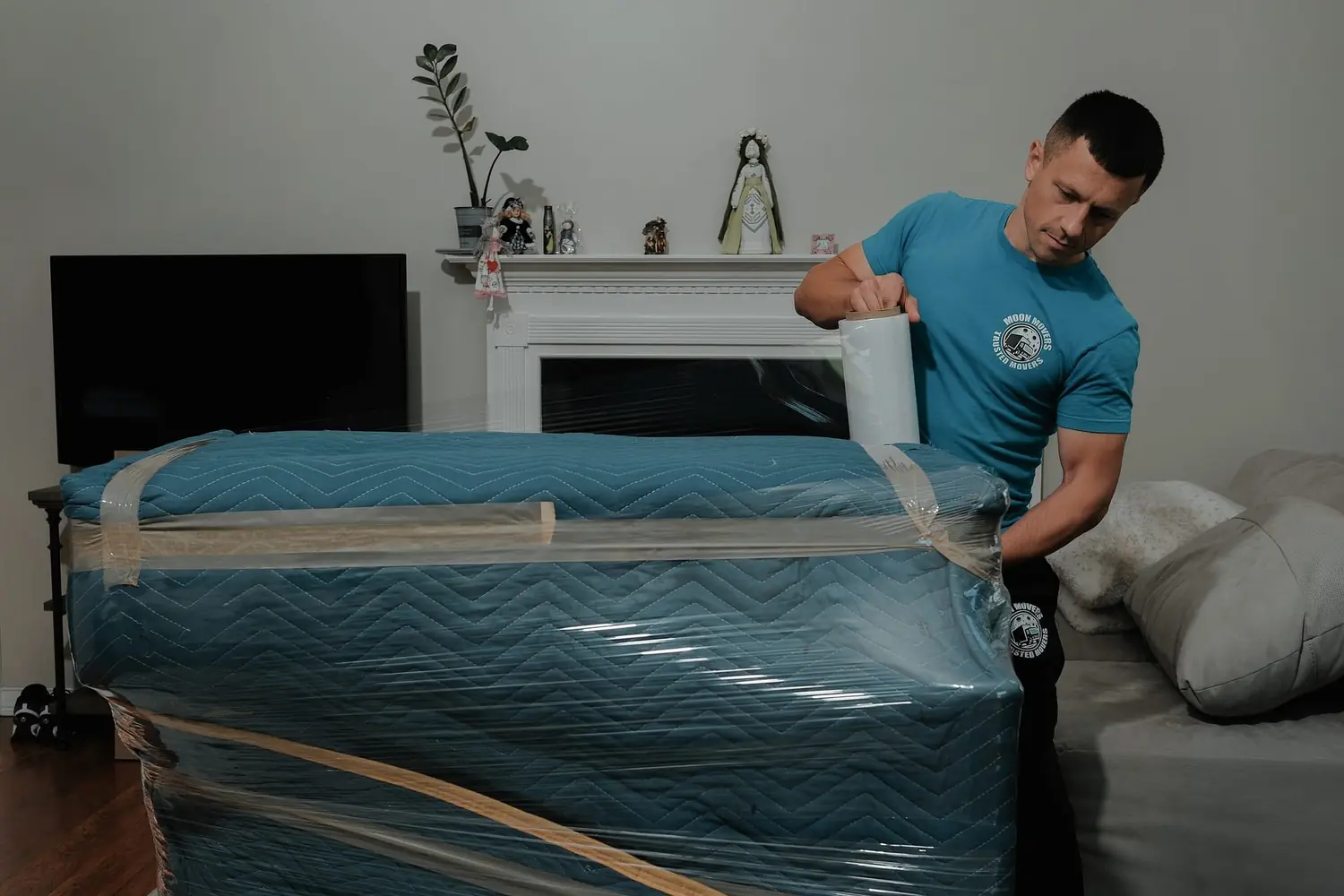
If you wrap the TV in a blanket, find a thick one that does not slip. You can work right in the truck so you do not have to carry the whole bundle to the vehicle. Spread the blanket next to the TV and stand the TV in the middle. Then make an envelope - cover the screen with the blanket on all sides. Tie it with rope or tape it. For what else to have on hand, see the full moving supplies checklist.
Wall Mounts, Stands, Cables and Remotes
This part saves the connectors. First: all cables are disconnected before the TV is moved, not left in the ports. The reason is specific: a stiff antenna cable works as a lever during the move and tears the port out, and a heavy HDMI cable loosens the connector. Pack the cables in a separate box. Put the remotes in the same box.
Second: remove the stand or legs if the TV goes into a box, and put the screws in a labeled bag together with the manual. The screen is best packed separately from the stand and other parts; put those in their own box. Third: if you are taking the TV off a wall mount, disconnect the cables first, then lift the panel off, and always with two people - taking it off the wall is one of the most common moments for a drop. Fourth: take a photo of how everything was connected. And fifth: do not move the TV with the bracket still bolted on, since the parts that stick out create point pressure. If the TV stand or other furniture needs taking apart, help with disassembly and assembly covers that.
How to Pack a Large TV for Moving
The bigger the screen, the stricter the rules, and this is not an exaggeration. The panel's area grows faster than its thickness, so a large screen is much more sensitive to bending: what a 40-inch TV can take without consequences can be fatal for a 75-inch one. First: for a large TV, the original packaging is not a luxury but a necessity - the foam inserts hold the panel by its edges and do not let it flex.
Second: a TV like this should be carried by two people and only by the frame, and the route should be thought through in advance, because there is no room to turn with it in a narrow hallway. Third: in the truck, a large panel must be tied down with a strap, not just propped up with other items - when braking, the inertia of a large mass easily tips it over.
Carrying It: Two People for Big Screens
Carry it upright, not under your arm and not horizontally. About stairs: clear rugs and objects from the path ahead of time, open the doors, check the size of the elevator - a TV in its packaging is wider than it looks. This matters even more for an apartment move in Chicago, with walk-ups and high-rise elevators. Do not set the TV on a corner or on an uneven surface even for a minute - a point of support puts stress on the panel. Set it on a flat floor on its bottom edge, leaning against a wall, preferably with something soft underneath.
- Cables out. Every cable unplugged and packed in its own box with the remotes.
- Route clear. Rugs moved, doors open, elevator measured.
- Two people. One at each side, holding the frame, the TV upright.
How It Rides in the Truck
In the cargo area, stand the box with the TV upright and secure it with straps. Make sure the box will not fall when the truck brakes. Do not put anything on a box with electronics. Movers usually pick the spot behind the driver's cab, because there is less vibration there.
- Secure it against tipping. Prop it on both sides with rolled blankets, bags or boxes, and tie it with a strap if you can.
- Put something soft under the bottom edge. A blanket or a mat absorbs vibration from the road.
- Drive calmly. Hard braking and speed bumps taken fast are the typical moment when a TV shifts or falls.
- Unload with two people. Taking it out of the vehicle is one of the most common moments for a drop.
If you are moving it in a car, the box goes only inside the car. Putting it in the trunk is not recommended. The best spot is the gap between the back seat and the driver's seat - that way the package is held in place. A business with a wall of monitors faces the same issue on a bigger scale, which we cover in our guide to office relocation.
Cold Weather: Let It Warm Up Before Switching It On
Do not leave electronics in a vehicle for a long time in freezing cold or heat. Before switching it on, let the TV sit at room temperature: if it was moved in freezing weather, condensation inside the case can cause a short circuit. Allow at least one hour for every 18°F of difference, and the TV's manual may give its own time - go by the back panel and the ports feeling room temperature to the touch. Winter moves have more of these details, and we collected them in our tips for a Chicago winter move.
After it has warmed up, spend five minutes checking it. Put a plain light field on the full screen - a white image from a USB drive or a blank page: cloudy patches, uneven brightness and vertical lines show up right away. Check the sound on both channels, go through all the inputs, connect to the network and look at the Wi-Fi signal level.
| What showed up after the trip | Likely cause |
|---|---|
| Cloudy patches, uneven brightness | The backlight diffuser shifted |
| Vertical lines, green or pink tint | The panel ribbon cable came loose or was damaged |
| No sound on one channel | A contact in the speaker connector came loose |
| Weak Wi-Fi with a working router | The module's antenna cable came off |
| Antenna input or HDMI does not work | The port was damaged by a cable during the move |
| Ink-like spots, a web of cracks | The panel bent or took a hit |
Setting the TV Up at the New Place
Once the TV has been moved, the TV has to be unpacked carefully and set up. First cut the tape - a box cutter is best, but a sharp knife will do. Lift the TV out slowly, inch by inch, and unwrap it. It is better if two people do this - that way the TV will not slip out of your hands.
When you put the TV on its stand, make sure there are no sharp objects nearby - scissors, cutters, knives. Secure it well on the stand or the wall mount, and above all, handle it gently. If the rest of the boxes are not going straight into the new place, storage between move dates keeps them in one spot. Whether to pack it yourself or not is a separate question, and we compared the two in professional packing versus doing it yourself.
Tell us what you are moving and where, and we will look at it with you, including our packing and unpacking service.
Get a Free Moving Quote